Subtitle Synchronization & Timing

Fix Out-of-Sync Subtitles with VoxSub

Sync subtitle lines with the exact moment the dialogue is spoken.

Works with: YouTube Crunchyroll Dailymotion HTML5 Players + more
โœ“ HTML5 video players โœ“ Live playback alignment โœ“ Custom SRT support
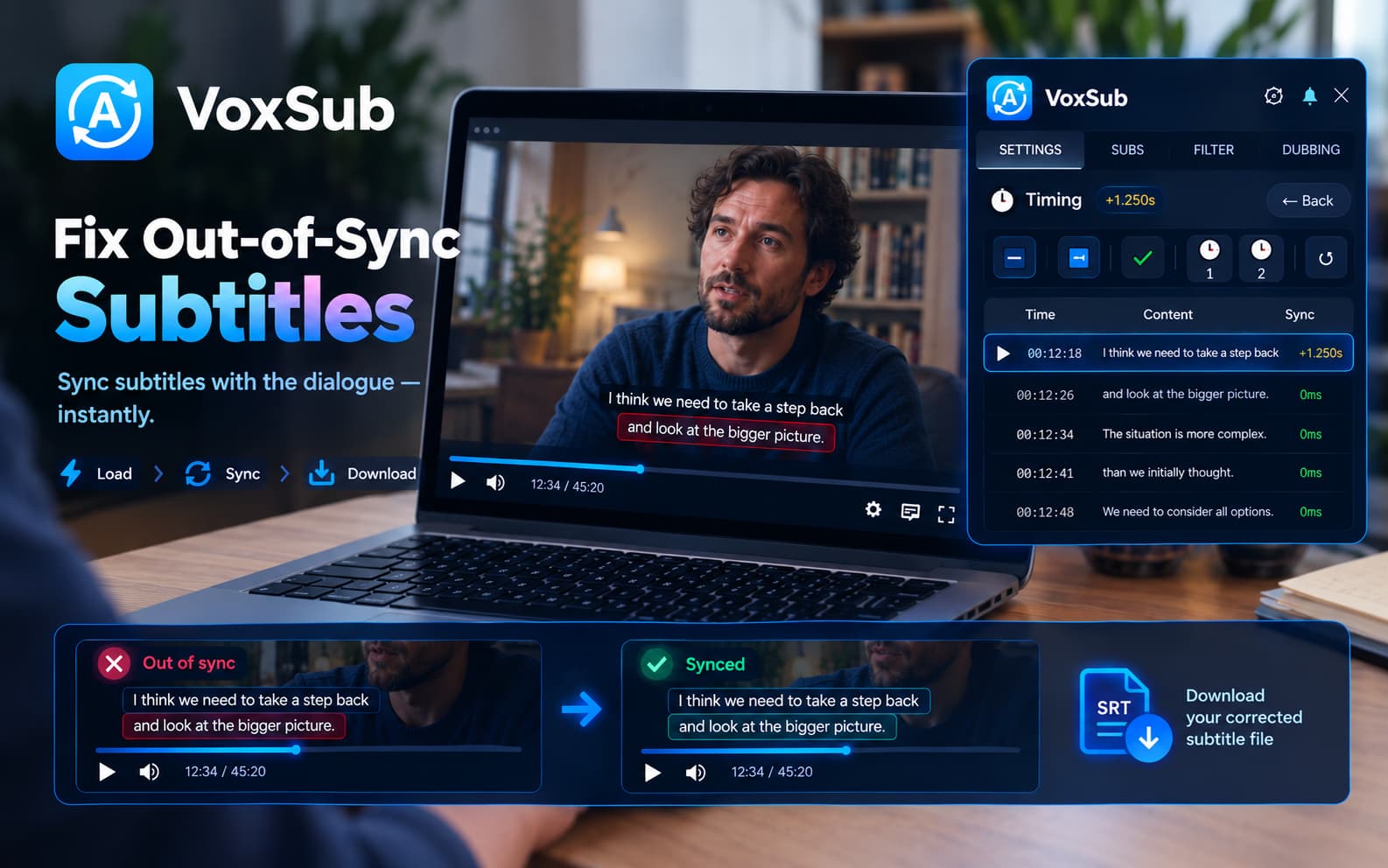
VoxSub Subtitle Synchronization and Timing Dashboard
The Timing Problem

Subtitle timing can be frustrating.

Sometimes subtitles appear too early or too late, making dialogue difficult to follow. VoxSub lets you correct subtitle timing directly while watching the video.

Whether you are working with subtitles already in the video or loading a custom SRT file when no subtitles exist, you have full control over timing.

Simple Workflow

How It Works

Four straightforward steps to achieve perfect subtitle synchronization.

๐Ÿ“‚

1. Load Your Subtitles

Use available subtitles from the video or load an SRT file manually.

๐ŸŽฏ

2. Select a Subtitle Line

Choose the subtitle line that is out of sync.

โฑ๏ธ

3. Sync It to the Dialogue

Play the video and when the matching dialogue is spoken, press the sync button to set the subtitle timing to that exact moment.

๐Ÿ’พ

4. Download the Corrected Subtitles

Save the synchronized subtitle file and use it with your video.

โœ“
Precision Control

Sync a Subtitle Line to the Exact Moment

Instead of adjusting subtitles by guesswork, select a subtitle line and press the sync button when the dialogue is spoken. VoxSub uses the current video playback position to set the timing of that line.

โœ“ One-click timestamp alignment with active playback
โœ“ No tedious math or manual timestamp editing
โœ“ Instant visual update in the subtitle display

Offset vs Sync

Global Offset vs Individual Line Sync

Each method serves a distinct purpose for different timing scenarios.

โšก

Global Offset

Shift all subtitle timings forward or backward by a fixed amount.

โœ“

Individual Line Sync

Correct a specific subtitle line by syncing it directly to the spoken dialogue.

Progressive Desync

Subtitle Timing Drift

Subtitles may start correctly but gradually become out of sync as the video continues.

This often occurs due to differences in frame rates or video cuts. VoxSub provides tools to handle timing drift and complex timing problems.

Custom Files

Have an SRT file?

Load your own SRT subtitle file, synchronize its timing with the video, and download the corrected version.

Get VoxSub for Free โ†’

Player Support

Supported Video Players

VoxSub works with supported HTML5 video players, allowing you to work with subtitles while watching your video.

โ–ถ๏ธ
YouTube Subtitle Translator
๐Ÿฟ
Crunchyroll Subtitle Translator
๐ŸŽฌ
Dailymotion Subtitle Translator

FAQ

Frequently Asked Questions

Everything you need to know about subtitle synchronization in VoxSub.

How do I fix out-of-sync subtitles?

Select the out-of-sync subtitle line in VoxSub and click the sync (โœ“) button the moment the dialogue is spoken. For constant delays, you can also use the global offset buttons.

Can I sync individual subtitle lines?

Yes! VoxSub allows you to select any specific subtitle line and anchor its timing directly to the active video playback position.

Can I load my own SRT file?

Yes, you can load any local SRT subtitle file directly into VoxSub to synchronize, translate, or view.

Can I sync subtitles while watching the video?

Yes, all synchronization and timing adjustments occur in real time inside the video player without interrupting your stream.

What is the difference between subtitle offset and subtitle synchronization?

Global offset shifts all subtitles by a fixed uniform time (+/- ms), while synchronization aligns specific individual lines to exact spoken dialogue moments.

Can VoxSub fix subtitles that gradually become out of sync?

Yes, VoxSub provides timing drift tools to correct subtitles that drift out of sync over the duration of the video.

Can I download the corrected subtitles?

Yes, once you finish synchronizing your subtitles, you can export and download the corrected SRT file with a single click.

Fix your subtitle timing in seconds

Install VoxSub today and experience perfectly timed subtitles across supported HTML5 video players.