No More Searching for Subtitles

Watch Any Video in Your Language — Instantly

Detect, translate, search, customize, and control subtitles while you watch videos across your favorite platforms.

HTML5 Video Players Local Privacy First Custom Translation & Dubbing
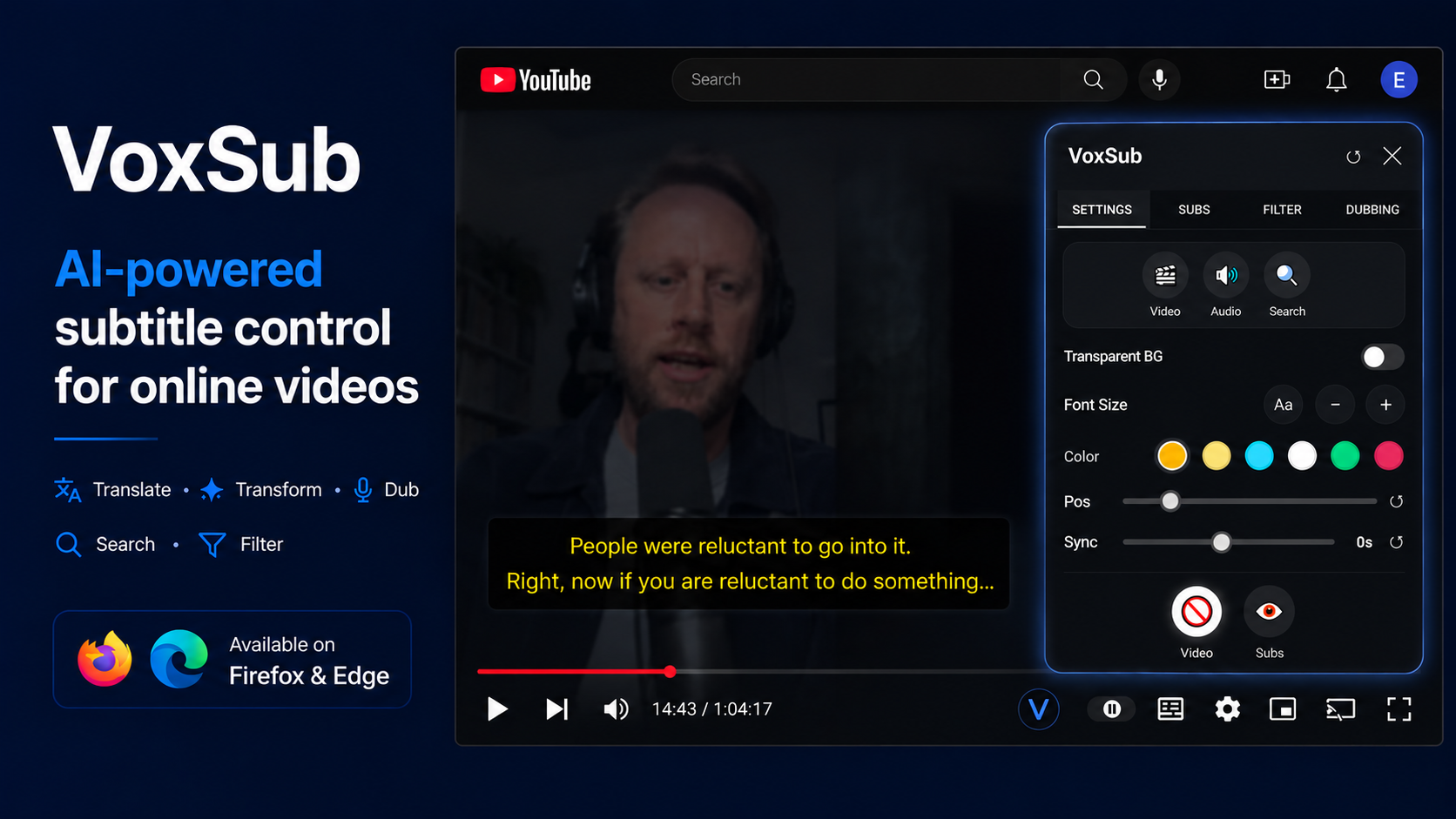
VoxSub Complete Subtitle Control Dashboard 🔍 Click to inspect
Translate Transform Dub Search Filter
Product Tour

See how VoxSub transforms video watching

A step-by-step visual look at real features in action.

01

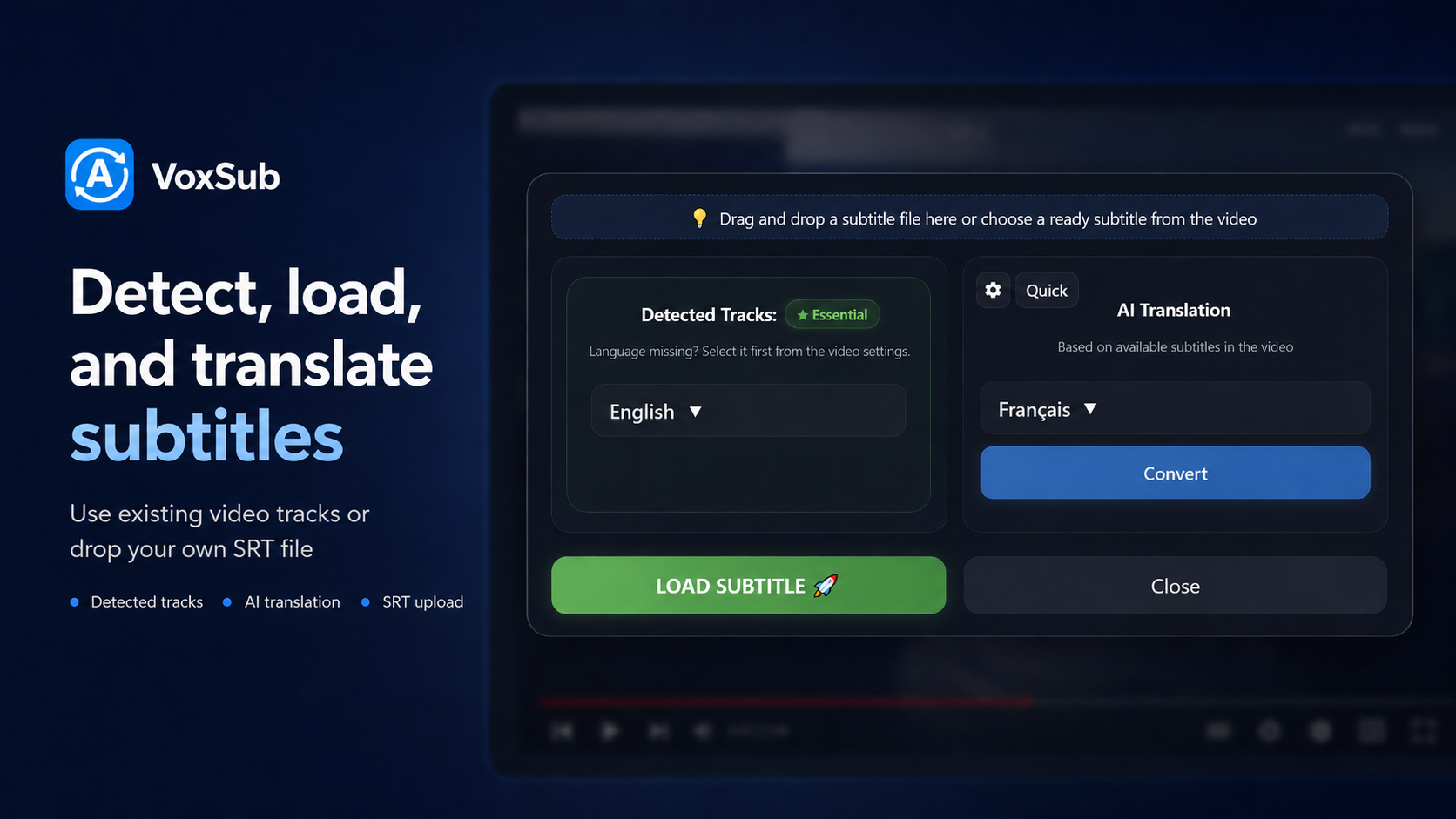
Detect, Load, and Translate

Automatically detect available subtitle streams on supported video players, or drop your own custom SRT/VTT file. Translate into your language or show dual captions side-by-side.

  • Auto-detect video subtitle tracks
  • Dual captions (Original + Translated)
  • Upload external subtitle files
Detect, Load, and Translate Subtitles 🔍 Enlarge
02

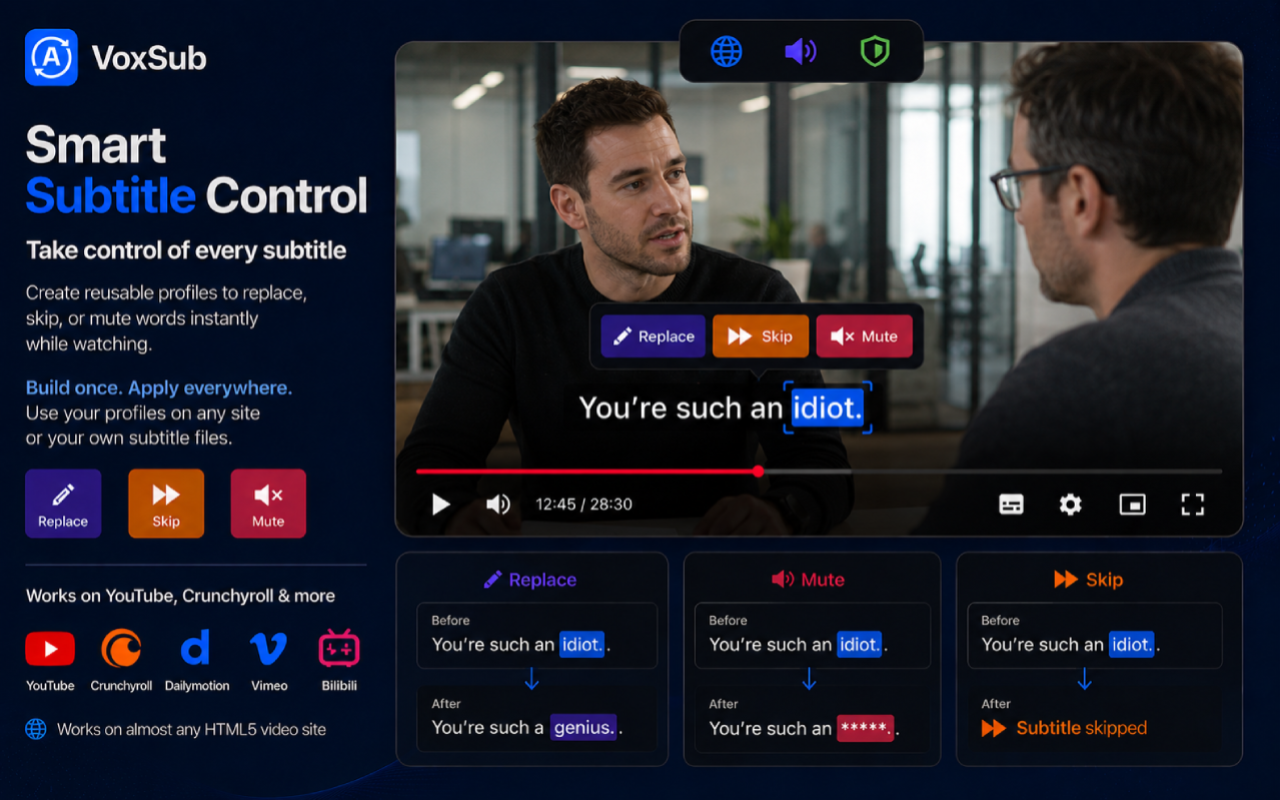
Smart Subtitle Control & Profiles

Take control of every subtitle. Create reusable profiles to replace terms, skip subtitle segments, or mute words instantly while watching videos across YouTube, Crunchyroll, and supported platforms.

  • Replace: Swap words & correct terminology
  • Mute: Automatically silence audio on designated words
  • Skip: Skip specified subtitle lines automatically
Smart Subtitle Control - Replace, Mute, and Skip Rules 🔍 Enlarge
03

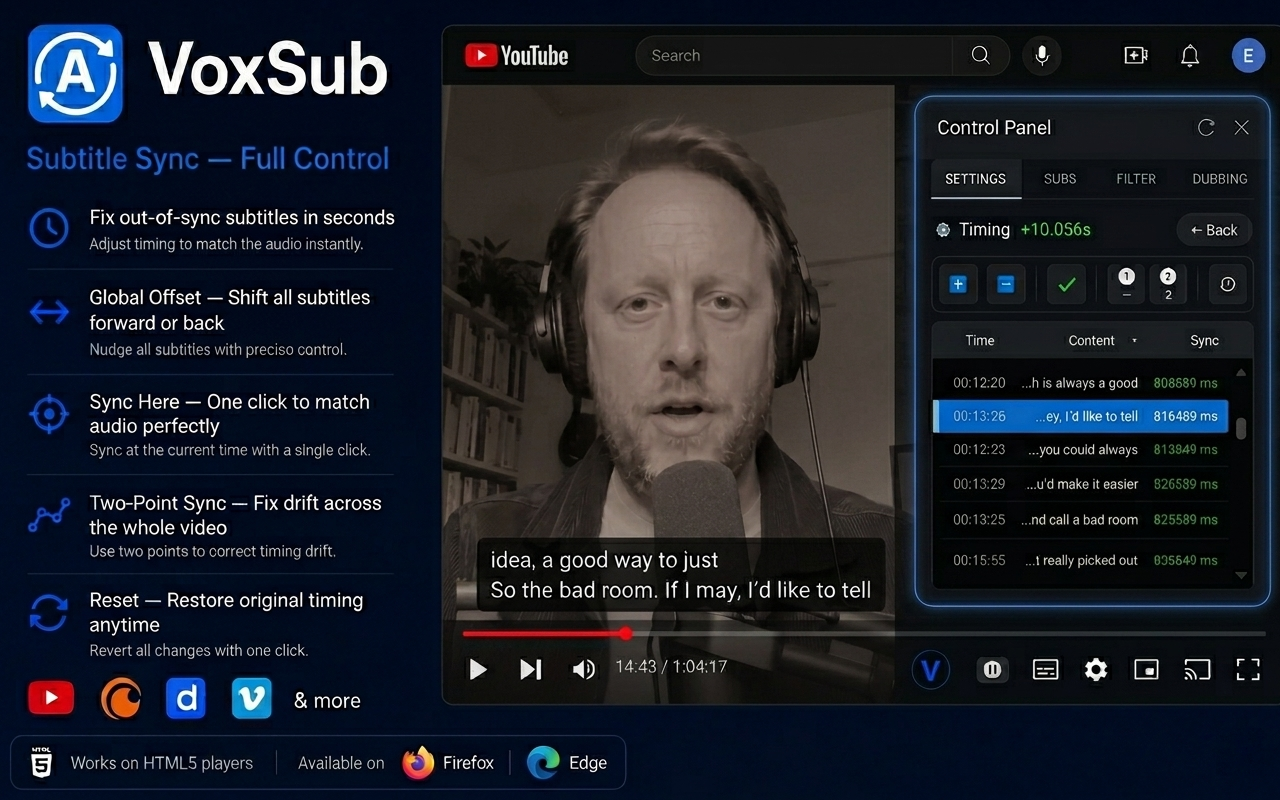
Subtitle Sync — Full Control

Fix out-of-sync subtitles in seconds. Adjust timing with global offset, one-click audio sync, or two-point drift correction across the entire video.

  • Fix out-of-sync subtitles in seconds
  • Global Offset & one-click Sync Here
  • Two-Point Sync to correct timing drift
Subtitle Sync - Full Timing Control 🔍 Enlarge
04

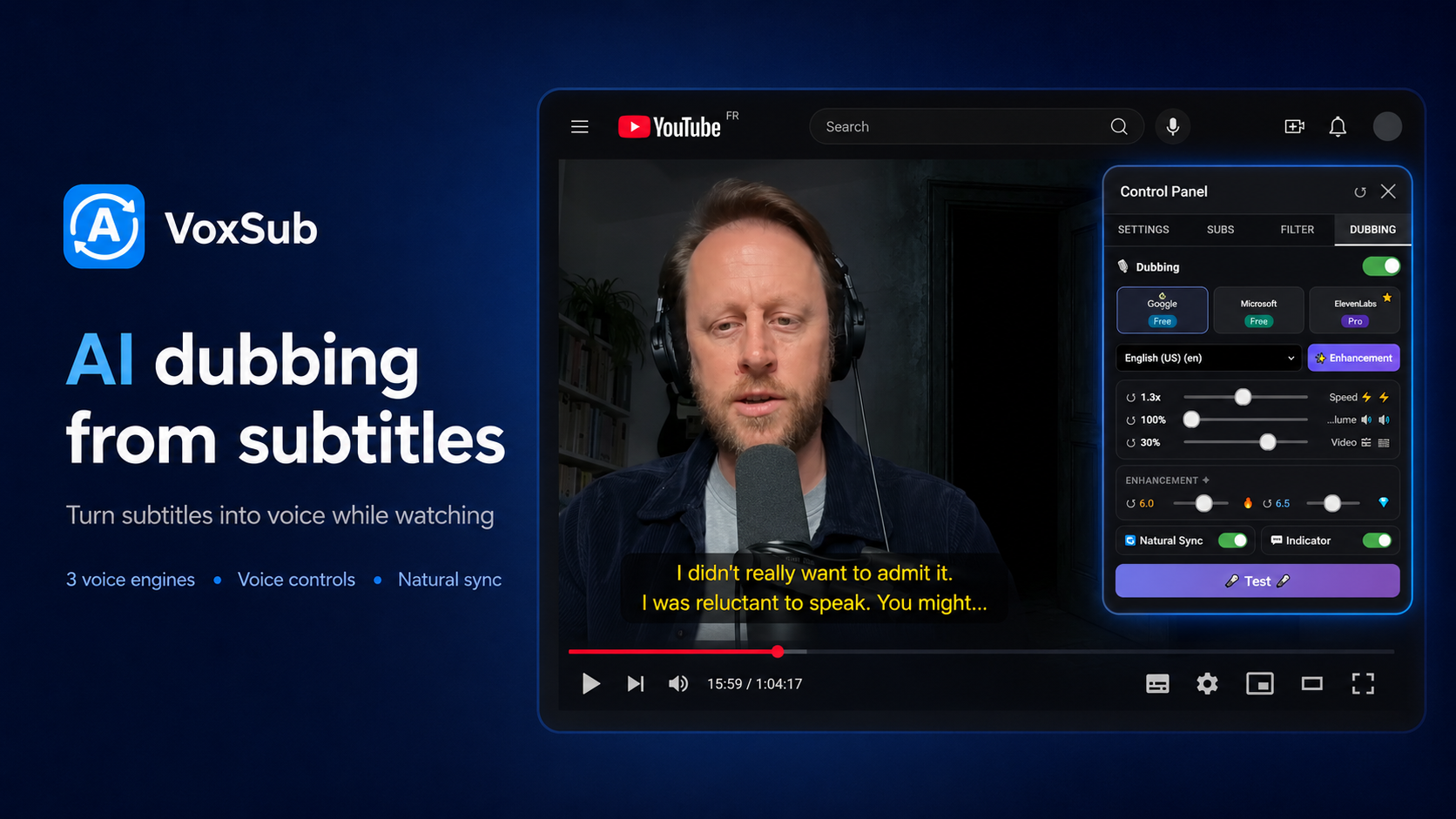
Dub Subtitles into Speech

Convert subtitles into real-time audio playback while watching. Choose from supported voice engines, adjust playback speed, and sync voice with video timing.

  • Multiple supported voice engines
  • Volume boost and audio pitch controls
  • Natural timing synchronization
Voice Dubbing from Subtitles 🔍 Enlarge
05

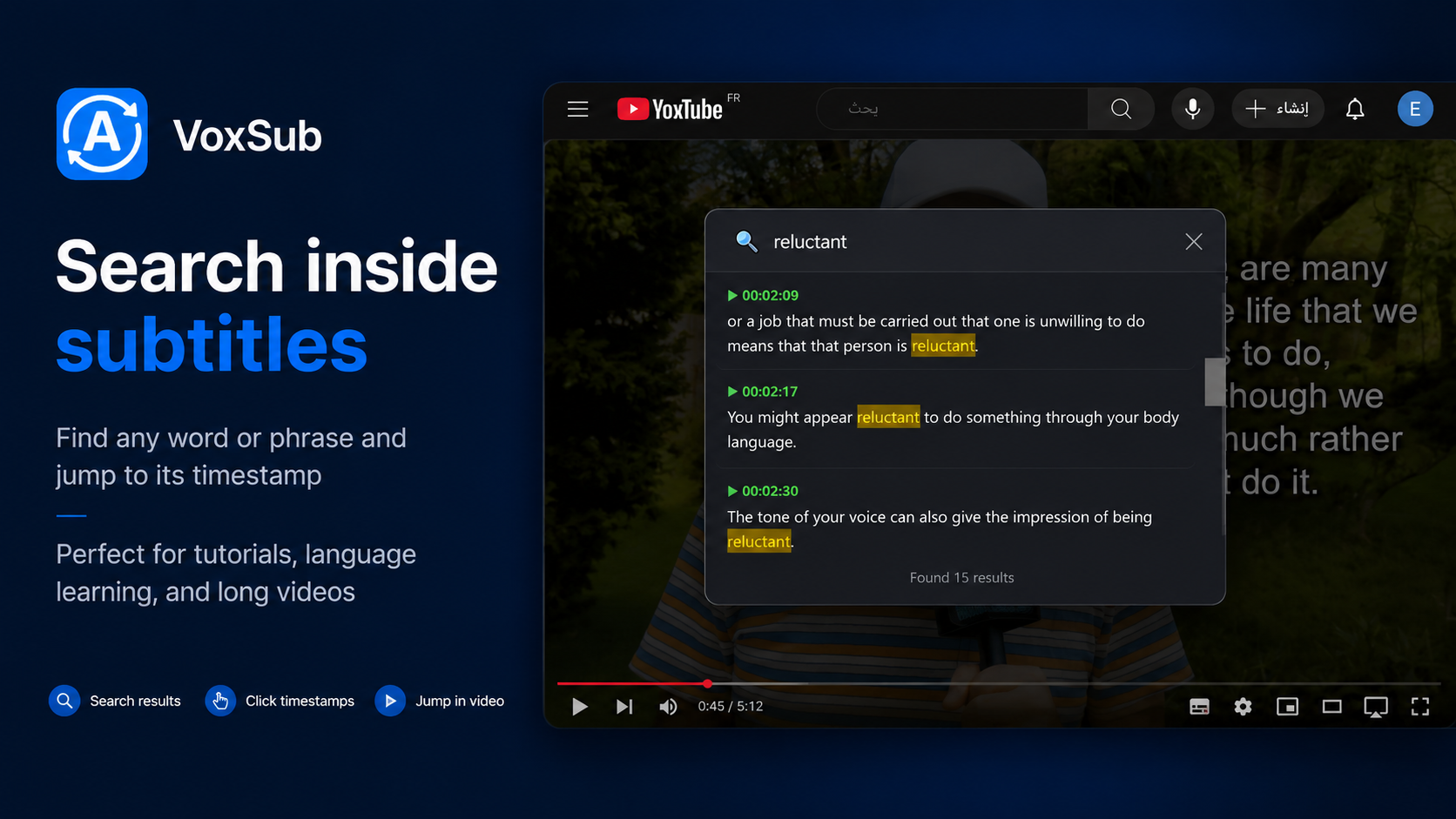
Search Inside Subtitles

Search for any keyword, phrase, or dialogue inside the entire video. Jump immediately to exact timestamps with a single click — perfect for tutorials, lectures, and long videos.

  • Instant keyword & phrase search
  • Clickable timestamps to jump video
  • Full transcript browsing
Search Inside Subtitles 🔍 Enlarge
06

Video Adjustments & Enhancement

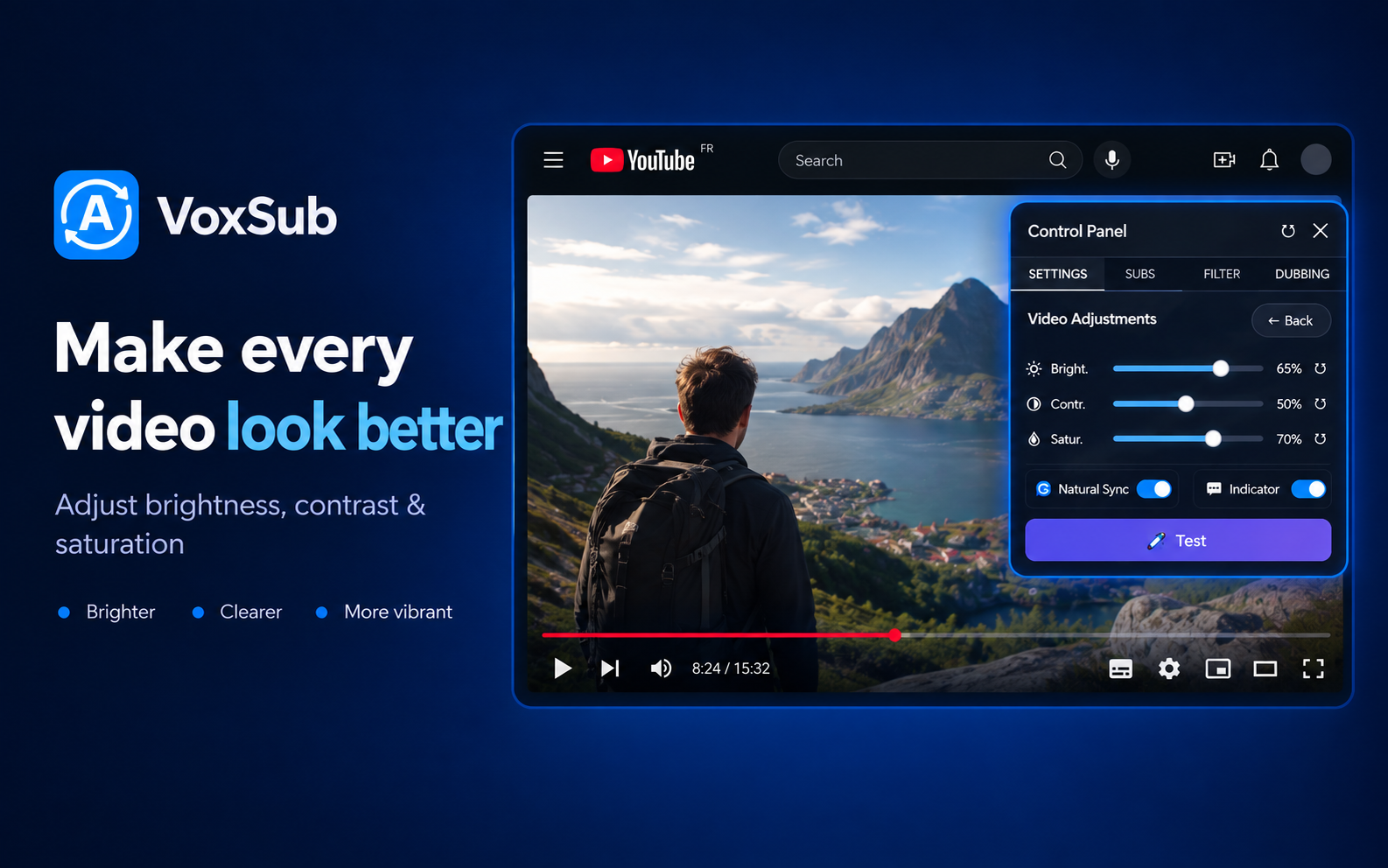
Make every video look better. Adjust brightness, contrast, and color saturation in real-time while watching.

  • Adjust brightness, contrast & saturation
  • Brighter, clearer, and more vibrant display
  • Instant real-time video adjustment sliders
Video Adjustments - Brightness, Contrast, and Saturation 🔍 Enlarge
07

Audio Booster & Sound Controls

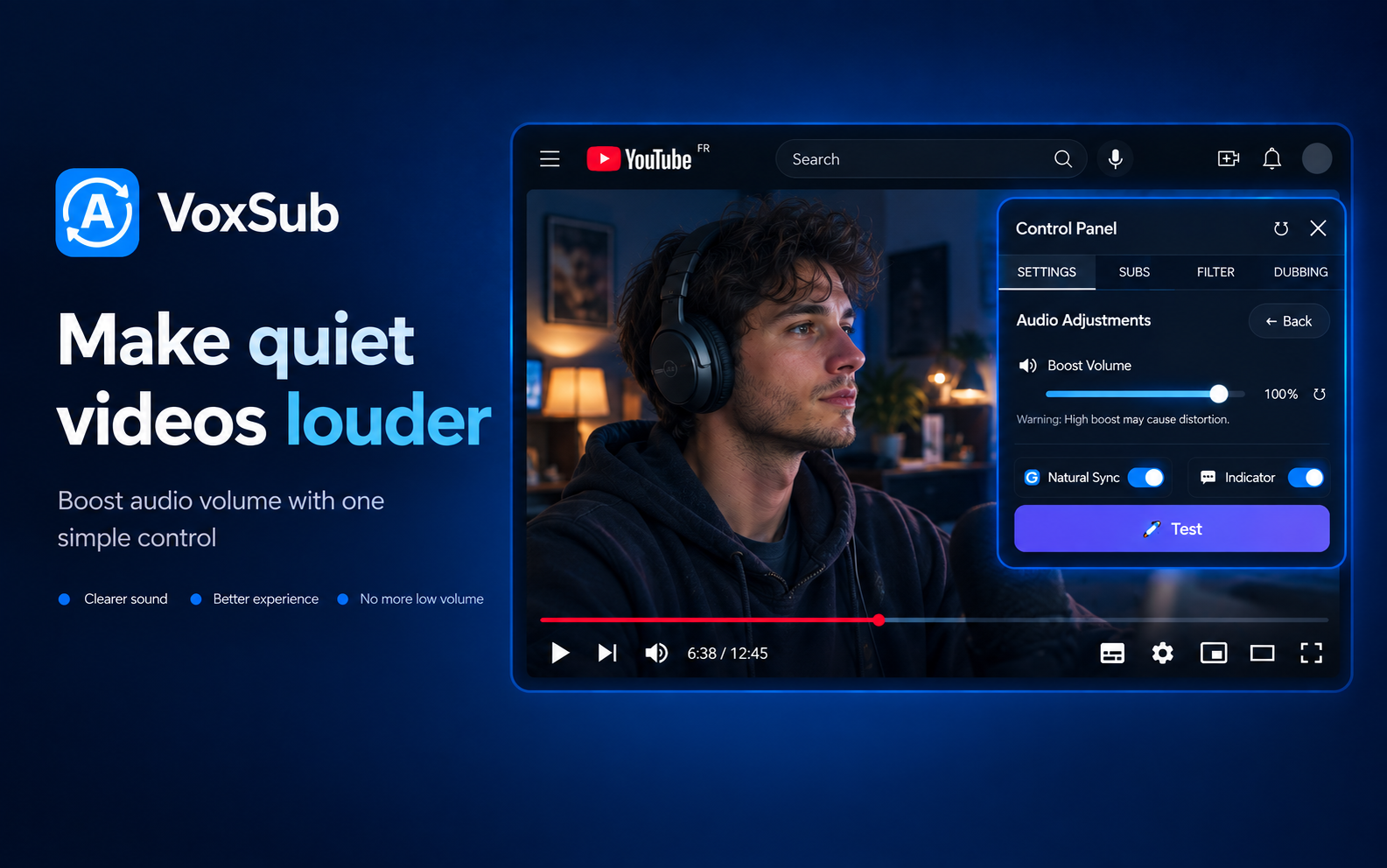
Make quiet videos louder. Boost audio volume with a single slider for clear, distortion-free sound.

  • Boost volume for quiet & low-sound videos
  • Clearer sound & enhanced listening experience
  • One-click audio level control
Audio Booster - Make quiet videos louder 🔍 Enlarge

Compatibility

Works where you watch videos

Compatible with modern HTML5 video players across popular streaming sites.

YouTube
Netflix*
Vimeo
Dailymotion
Crunchyroll
HTML5 Video Players

*File upload mode supported when direct subtitle streams are protected.

Privacy-Friendly by Design

VoxSub operates locally in your browser. Your subtitle profiles, custom rules, and settings are stored on your device. External services are contacted only when you actively trigger translation or voice dubbing.

Get Started

Ready to take control of your subtitles?

Install VoxSub on Microsoft Edge and Firefox. Fast, lightweight, and customizable.